[Download] GX-Works3 V1.308Q Mitsubishi FULL (Real 100%)
GX Works2 and GX Works3 software are alternative versions of Mitsubishi Developer PLC programmable PLC Mitsubishi FX1N, FX2N FX3G, FX3U FX5U, PLC PLC cpu, Q cpu … Generally all Mitsubishi PLC series. . I also recommend using GX Works instead of GX Developer, programming much faster. GX Works has a built-in simulation so you don’t need to install the Simulation version like GX Developer anymore…
The outstanding features of GX Works software are more intuitive project management capabilities. You have the programming language options are : Ladder, Structure, FBD/LD, SFC making programming more diverse.
This GX-Works3 version includes software :
- GX-Works3 V1.038Q
- GX-Works2 V1.056J
- GX-Developer V8.119Z
- PX-Developer V1.48A
- CPU Module Logging Configurator Tool V1.70Y
- GX Logviewer V1.70Y
- MR Configurator 2 V1.64S
Software installation video (Download link below the article)
Installation instructions:
+ Step 1 : Extract the downloaded file
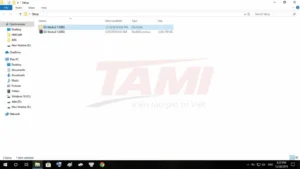
+ Step 2 : Open the unzipped folder, click on the autorun.exe file
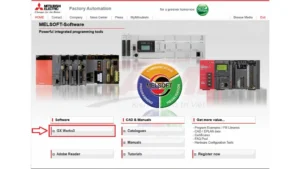
+ Step 3 : Click GX-Works3
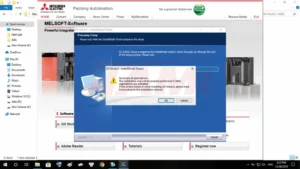
+ Step 4 : Choose OK
+ Step 5 : Click Next
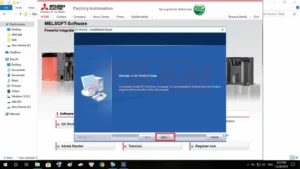
+ Step 6 : Open File Text “P_Key” and Enter Key , then Next
+ Step 7 : Select the software you want to install and click Next
+ Step 8 : Choose “Folder Setup” then Next
+ Step 9 : Check your installation configuration and select Next
+ Step 10 : The installation process will take place, it will take about 20 to 30 minutes depending on your device configuration
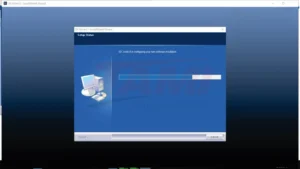
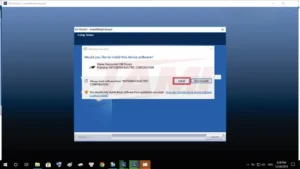
The installer will ask if you want to install USB Drivers. You choose Install 2 times
+ Step 11 : Click Next
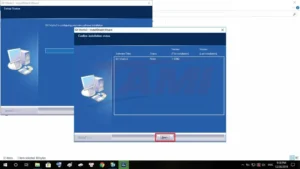
+ Step 12 : Select software thay displays the shortcut on desktop
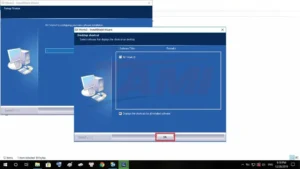
+ Step 13 : Choose OK
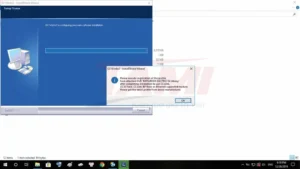
+ Step 14 : You can choose to restart the PC immediately or do it later then choose Finish
+ Step 15 : Click exit to exit the installer
At the end of installation, we have 2 software GX-Works3 and MR-Configurator2. You can also install other software such as GX-Works2, GX-Developer … in the installer!
>>> Link Download Software (Google Drive- High Speed Download) :
+ Download GX-Works 3 Full Mitsubishi Software.RAR
—–Other Mitsubishi software you may like—–
+ GX-Deverloper V8.91 for PLC Mitsubishi : Download Here
+ GT-Works3 / GT-Designer3 for HMI Mitsubishi : Download Here
+ FR-Configurator for Inverter Mitsubishi : Download Here
+ MR-Configurator for Servo J2/J2S Mitsubishi : Download Here
+ Key-Reader Unlock PLC Mitsubishi : Download Here
